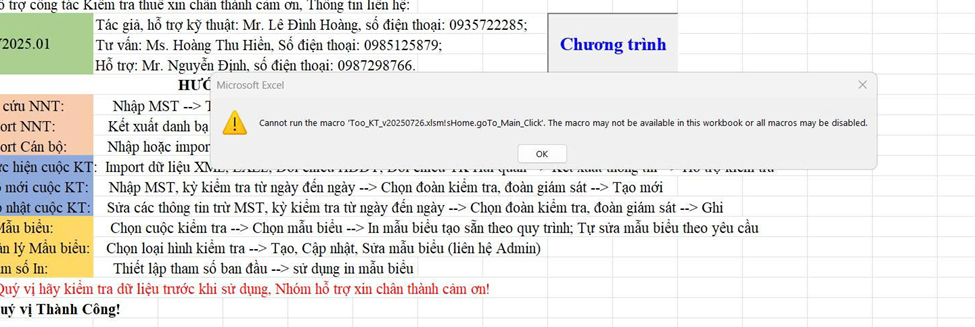
Trường hợp bạn mở Chương trình hỗ trợ kiểm tra thuế nếu Excel báo như sau:
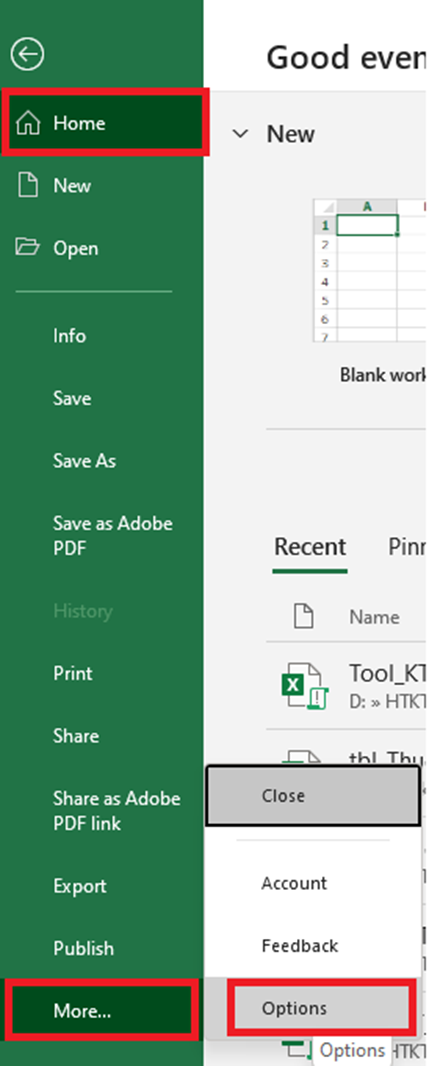
Các bạn thực hiện Bật Macro trong Excel:
Bước 1. Vào: File → Options → Trust Center → Trust Center Settings
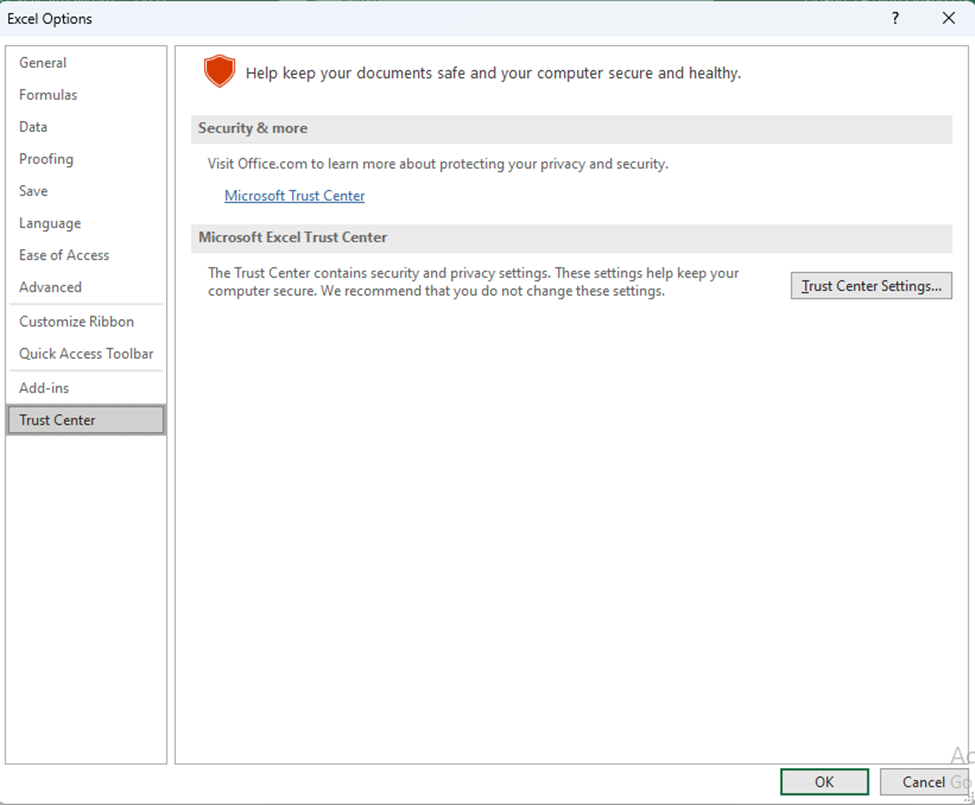
Bước 2. Chọn mục Trust Center
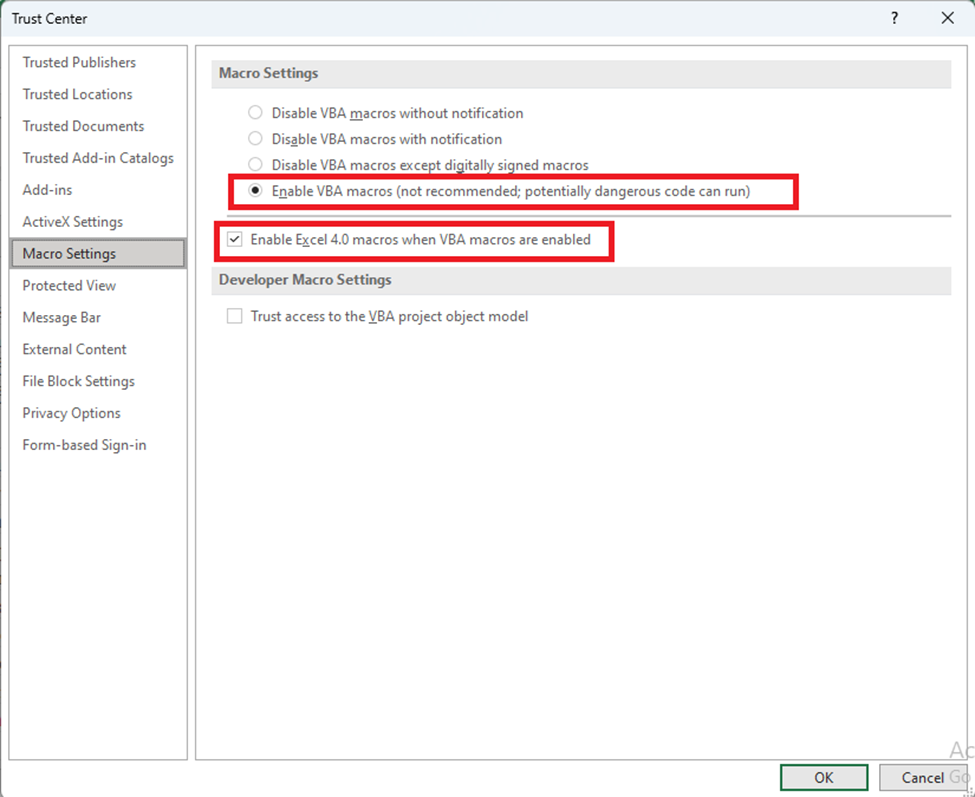
Bước 3. Chọn Macro Settings:
✔ Enable VBA macros
✔ Enable Excel 4.0 macros when VBA macros are enabled